
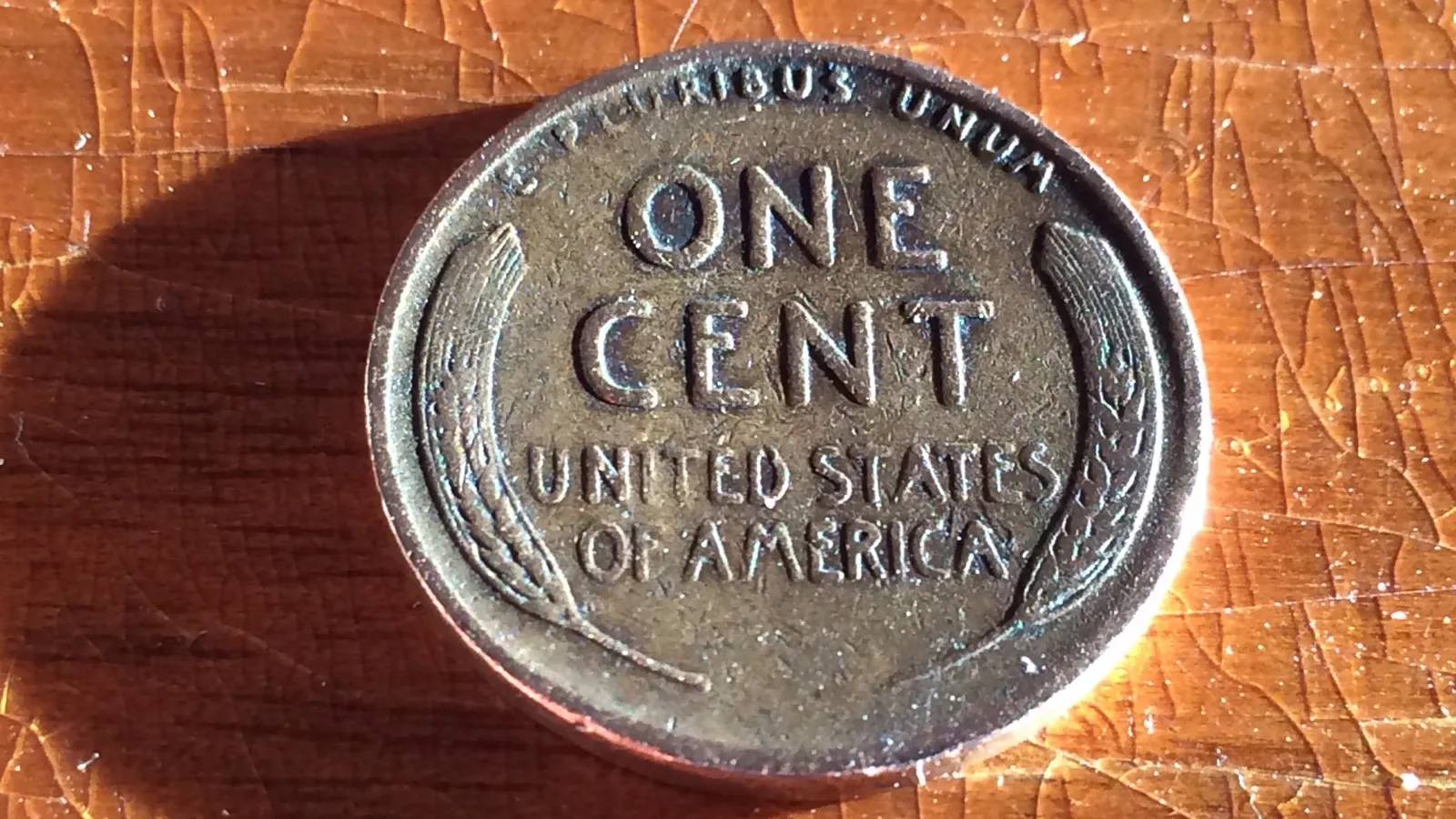
What a Coin Scanner Shows
A coin scanner app compares your photo with a database of coin types and returns the closest match. A typical result includes:
- Coin type and country, for example "Lincoln Wheat Cent, United States".
- Year or year range. Many apps read the date from the photo; if the date is worn, they give the range the design was struck in (1909–1958 for the wheat cent).
- Metal, weight and diameter from the catalog for that type.
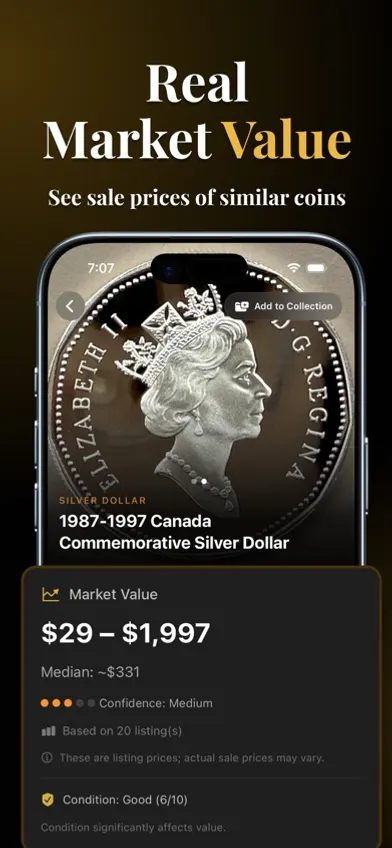
- An estimated value, based on listings or past sales of similar coins.
- Background on the design and when it was issued.
Most apps also let you save scans into a collection. Coinara, the app we make, returns the coin's name, origin, a short history and an estimated value from front and back photos.
What a Coin Scanner Cannot Tell You
A photo match is good at naming common coin types. It is weak at the details that decide what a coin is worth:
- Grade. A scanner cannot see wear, hairlines or cleaning reliably from a phone photo, and grade can change a price tenfold. Professional grading is done by PCGS or NGC, in hand.
- Mint mark and date variety. A small "D" or "S" below the date is easy to miss in a photo, and it can be the difference between face value and hundreds of dollars.
- Die varieties and errors. Doubling, repunched mint marks and off-metal strikes need magnification; see the doubled die identification guide.
- Authenticity. A well-made counterfeit looks like the real coin in a photo. Weight, diameter and edge are better tests; see how to spot counterfeit cast coins.
- Your coin's actual price. The value shown is a range for comparable coins, not an appraisal. Check recent sold results before you buy or sell.
How to Scan a Coin With Your Phone
- Put the coin flat on a plain cloth that contrasts with the metal: dark for silver, light for copper.
- Turn the flash off and use daylight from a window. Flash causes glare that hides lettering.
- Hold the phone straight above the coin so it fills about three quarters of the frame. Tap the screen to focus on the coin.
- Scan the obverse (front), then the reverse (back). Many types can only be told apart on one side.
- If the result looks wrong, retake the photo with the light coming low from one side. Raking light casts shadows into worn letters and makes a faded date readable.
Do not clean a coin to get a better scan. Cleaning scratches the surface and lowers the value of a collectible coin. More lighting and angle tips are in the coin identifier by photo guide.
What to Check After Every Scan
Treat the scan as a lead and confirm three things yourself:
- Date and mint mark. Read them with a 5x–10x loupe. On a Lincoln cent the mint mark sits below the date; on a Washington quarter from 1932–1964 it is on the reverse, below the eagle.
- Weight. A kitchen scale that reads to 0.01 g settles many questions. A copper cent weighs 3.11 g and a zinc cent from after 1982 weighs 2.5 g. A 90% silver dime weighs 2.50 g and a clad dime 2.27 g; a silver quarter weighs 6.25 g and a clad quarter 5.67 g. For more silver tests, see how to tell if a coin is silver.
- The catalog entry. Compare your coin with the type page in NGC Coin Explorer or PCGS CoinFacts, which list mintages, varieties and photos by grade.
If the coin is in a PCGS or NGC holder, look up the certification number with PCGS Cert Verification or NGC Certification Lookup. That confirms the grade and that the holder is genuine. For how value is set, see the coin value guide.
Coin Scanner Apps and What They Cost
All of these are free downloads on the US App Store; the difference is what you pay to see full results. Figures are from each App Store listing as of 25 September 2026.
| App | App Store rating | Price for full results |
|---|---|---|
| CoinSnap | 4.7 (304K ratings) | In-app purchases $3.99–$39.99 |
| CoinIn | 4.7 (101K ratings) | In-app purchases $6.99–$49.99 |
| Coin ID | 4.5 (44K ratings) | $4.99–$7.99/week, $14.99–$39.99/year |
| CoinCheck | 4.5 (12K ratings) | $5.99/week, $29.99–$39.99/year |
| Coinoscope | 3.3 (133 ratings) | Identification free; Pro $0.99/month to $29.99 |
| Coinara (ours) | 4.2 (6 ratings) | $3.99 one-time, $7.99/week or $44.99 lifetime |
Accuracy figures such as "99%" come from the publishers and have not been independently tested. The full comparison is in best coin identifier apps. If you only want to try a scan without paying, Google Lens and the other options in free coin identifier tools cost nothing, but they return web matches rather than a catalog entry and a value.
When a Scan Is Not Enough
Take the coin to a dealer or send it for grading when:
- the scan suggests a key date or an error, such as a 1909-S VDB cent or a 1955 doubled die;
- two scanner apps disagree on the type or date;
- the estimated value is above roughly $200, where grading fees are worth paying;
- the coin is ancient, hammered or very worn, where apps often return several possible matches.
For older and harder coins, the old coin identifier guide covers reading worn legends and dates by hand.
Image: "Wheat Penny" by docbadger1, CC BY 2.0, via Wikimedia Commons.
FAQ
Coinoscope offers unlimited identification for free, and Google Lens can match a coin photo against images on the web at no cost. Most other coin scanner apps are free to download but charge a subscription or one-time fee to show full results and values.
Not reliably. A good counterfeit looks the same as a genuine coin in a photo. Weigh the coin, measure its diameter and check the edge against the catalog figures, and for valuable coins rely on PCGS or NGC certification.
No app grades coins to the standard used by PCGS and NGC. Phone photos do not show fine wear, hairlines or cleaning reliably. Use the app's value as a range and have a coin graded if it could be worth more than a couple of hundred dollars.
Most apps cover world coins as well as US coins. Ancient and hammered coins are harder, because legends are worn and each die was cut by hand, so expect several possible matches and confirm the ruler and reverse type against a catalog such as Numista.


.jpg)